Mobility and balance routines
A routine is a short follow-along session: the app shows each move with its picture and a countdown, moves on by itself, and saves the session as Mobility minutes when you finish.
How it works
- Starting one: Start a workout › Mobility lists the routines: Morning mobility, Hips, Shoulders and upper back, Desk break and Balance basics. Each says how long it takes. Tap one to see its moves, then Start.
- Following along: each move shows its picture, its name, a big countdown, one line on how to do it and what comes next. Holds are 10 to 60 seconds. A move done on each side runs the left, then a short “Switch sides”, then the right. There are 5 seconds between moves to get into place.
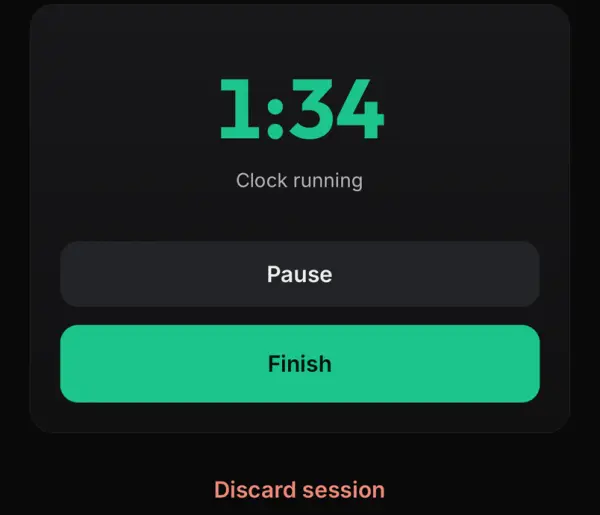
- The controls: Pause stops the clock, Skip moves to the next move, and +15 s gives the move you are on 15 more seconds. The phone plays the timer sound with a buzz at every change, and the voice names each move with its side, time and tip, says halfway, counts 3, 2, 1 into its end and “Session done” at the finish (Settings › Sound & voice › Routines). With VoiceOver on, VoiceOver reads each move instead.
- The cooldown: after a lifting workout, the summary offers a cooldown for what you trained, 5 minutes of stretches. It picks stretches for the muscles that workout worked the most, most-worked first.
- Rest days: when your plan has a rest day, Home offers one routine under Today, a different one each day.
- Balance basics gets harder as it goes: one leg holding a wall, one leg on its own, heel to toe, heel to toe with your eyes closed, then one leg on a cushion. Stand next to a wall for all of it.
- Saving: finishing, or ending early with End routine, saves a timed Mobility session with the minutes on the clock, at an easy effort (RPE 2). It earns XP, counts for quests and the weekly board, and goes to Apple Health like any timed session. Under 3 minutes is not a session, so ending that early saves nothing.
- Closing the app or locking the phone loses nothing: the clock keeps time on the lock screen, and reopening comes back to the move you are on.
- Each fixed routine is 5 to 20 minutes long.
Example
On a rest day you tap Rest day: Hips on Home, then Start. The first hip stretch counts down on your left side, the phone buzzes, “Switch sides” shows for a moment, then the right side starts. You tap +15 s on Pigeon because it feels good. After 9 minutes the last move ends and the summary shows your Mobility minutes.
What to do
Pick a routine that fits the time you have, follow the countdown and move gently into each stretch. Stretching regularly is what improves range of motion, so a few short routines a week beats one long one.
Sources
- Range of motion: Regular stretching of any kind improved range of motion over not stretching. Konrad et al. 2023, J Sport Health Sci (systematic review with meta-analysis)
- How long to hold: Holds of 10–30 s, up to 60 s, about 60 s per muscle; under 60 s per muscle, stretching before lifting costs no meaningful strength, so no hold here is longer than 60 s. Garber et al. 2011, Med Sci Sports Exerc 43:1334–1359 (ACSM); Behm et al. 2016, Appl Physiol Nutr Metab 41:1–11
- Soreness: Stretching before or after exercise does not meaningfully reduce later muscle soreness, so the cooldown is for range of motion, not soreness. Herbert, de Noronha & Kamper 2011, Cochrane Database Syst Rev CD004577
- Balance: Exercise built mainly on balance and functional training reduced the rate of falls in older adults living in the community. Sherrington et al. 2019, Cochrane Database Syst Rev CD012424
Read next
- Timed sessions
Runs, rides, swims, classes, intervals and yoga on the clock
- XP from timed sessions
How a run, ride, swim, walk, class or yoga session turns into Work and XP
- Your workout on the lock screen
The rest timer and your next set on the lock screen and Dynamic Island
- Posture check
Two standing photos, read on your phone, and the routines that fit