Recovery and the day’s limit
XP follows the sets you do. A muscle that is still recovering earns the same as a rested one; doing too many sets for one muscle in a day earns little.
How it works
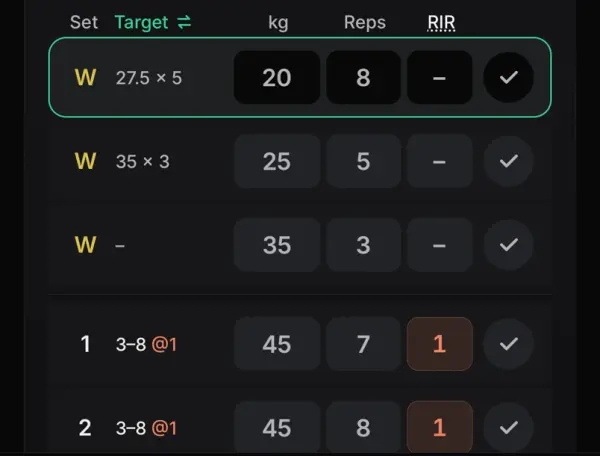
- Every working set earns 100% Work, however recently you trained that muscle. A tired muscle usually lifts less or does fewer reps, and Work already counts that.
- The day’s limit: past 6 working sets for one muscle in a day, each extra set earns 10%. A day is 16 hours from your first workout, so a morning and an evening session count as one day.
- Warm-ups earn nothing. Reps past 12 in a set count as 12.
- The body map shows what is still recovering: each muscle is Fatigued for 48 hours after you train it, Recovering until 72 hours, then Fresh. It is there to help you plan; it does not change your XP.
- Tap a muscle group on the body map to see each muscle in it, deep ones too: whether it is Fresh, Recovering or Fatigued, a bar of the recovery left and when it is ready (“Ready in ~” so many hours), and this week’s sets against your plan.
- Under each muscle are the exercises from the last 72 hours that trained it, marked primary, secondary or light. Primary work makes a muscle Fatigued, secondary work only Recovering, and light work (holding the body steady) adds no sets and does not change its state.
- From midweek the sheet also names the muscle furthest behind its plan, when it has done under half its planned sets.
Example
You do 8 sets of chest on Monday. The first 6 earn full Work and the last 2 earn 10% each. Chest again on Tuesday earns full Work for its first 6 sets too, even though the body map still shows it as Fatigued.
What to do
Spread a muscle’s sets over the week, about 6 a day at most. Train it as often as your program says; check the body map, and tap a group, if you want to know what is still recovering or short of sets this week. How it scored, on the workout screen, shows which sets went past the limit.
Read next
- XP and Work
How a set turns into Work, and Work into XP
- The Progress screen
Your lifts, new records and weeks, and how to read their trends